My favourite module from last semester was web development 2. I liked this module as it was interesting and allowed me to be as creative as I wished., it let me design a website to explain social media tools for someone only learning to use them in a way I felt let me fully express myself and use the skills that I had learned to make such a website as easy as possible to understand. My biggest accomplishment last semester was making a movie using drawings to set the scenes and having myself talk over it. I felt that this was my biggest accomplishment as I didn't have access to the college to acquire equipment or could talk face to face with my lecturer if I got stuck. I just had to keep going with what I thought was the right thing to do and eventually I got rewarded with my work. In my spare time I like to play hurling for me local GAA team, I've recently joined back after a few years of not playing so I am a little bit stiff and rusted at it. I have also started doing muay ...
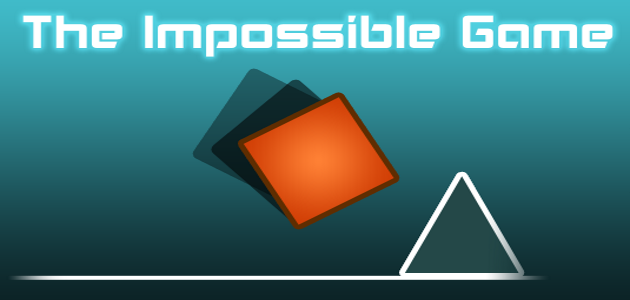
For my brainstorming I thought back to when I was younger and played games on websites on sites like Kongregate or Miniclips , these games where very fun but also where never extremely complicated looking, usually where kept very simple. My first game idea is that of a game similar to the I mpossible game . The Impossible game was a 2D game where the player controlled a block and had the action to either jump over the obstacles of choose not to jump as it may cause you to die if you do so. The game is renowned for being difficult (as the name tells us) and this factor will benefit me as if the game is very difficult and I am able to imitate the difficulty, I then won't require a lot of levels in the game as if people can't get past the levels there would be no point in having loads of levels. Now as you can see from the picture of the Impossible game, that it appears to be 2D, I however will make my game in a 3D format, so using my experience from my unity...
After thinking carefully about the choice, I have decided to choose to make a 3D platformer game. I ended up deciding to make a 3D platformer as I believed that it would be the most fun, but also the easiest for me to make as I've never made a game before and I don't want to start off with something big like an RPG that'll be to0 time consuming, also I have plenty of examples of great platformers that I can get inspiration from. In my game I plan to include specific game mechanics, which I feel are good to be in this game. My first game mechanic to include will be the ability to double jump. Most games in today's world include the ability for the character to be able to jump and then jump again while in mid-air, this has become an almost vital game mechanic as it allows players to reach areas that may seem out of reach. The double jump ability has become a staple of modern gaming, as it appears more now than maybe in the early 2000's. Another game mechanic that I w...


Comments
Post a Comment